Magento 2 Plugin is a method where you can extend the functionality of any PHP public method where it performs the code Before , after and around.
Let’s take an example, suppose the original magento function returns the string value where you returns the name doctors and you want add ‘Dr.’ after you get name. For this customization we can use plugin which will take name from original method and will the prefix (Here Dr.) to it based on conditions.
Magento plugin firstly checks the sequence and gets executed with specific sortOrder.
Plugin is responsible for changing the result of original method.
Three ways of using plugin :-
Before :- In before method plugin gets executed Before the original method in Magento.
syntax – ‘before’ + MethodName
After :- In after method original method gets executed and then plugin performs its functionality .
syntax – ‘after’ + MethodName
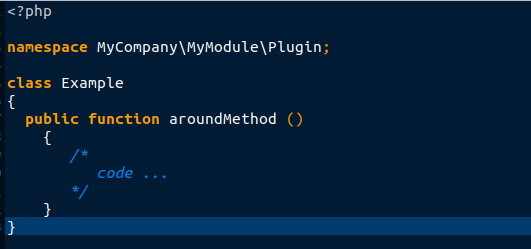
Around : – In around method code gets executed before and after method the original method .
syntax – around + MethodName
Avoid using around-method plugins when they are not required because they increase stack traces and affect performance. The only use case for around method plugins is when the execution of all further plugins and original methods needs termination. Use after-method plugins if you require arguments for replacing or altering function results.
Changes in the di.xml file:- In di.xml file, we need to add the given details as shown in the image below such as plugin name, the path of the original file and the path of plugin for the mapping. Here sortOrder is also important if we have two plugins then based on sort order it will get executed. Without declaring function in this file, the plugin will not perform its function.
Limitations while using plugin: –
Final methods.
Final class.
Non–public methods.
Class methods are like static methods.
__construct
Virtual types.
How to disable the plugin :- In Magento2 we can disable the plugin when it is not needed. We can use the ‘disabled’ parameter and set the parameter value equal to ‘true’. We have to make these changes in di.xml file. Remember you have to provide the same path while calling and disabling the plugin in di.xml file.
That’s some beginner’s information regarding the Magento 2 plugin. Hope this blog is helpful for you please do share your review.